Creality Raptor Pro at a glance
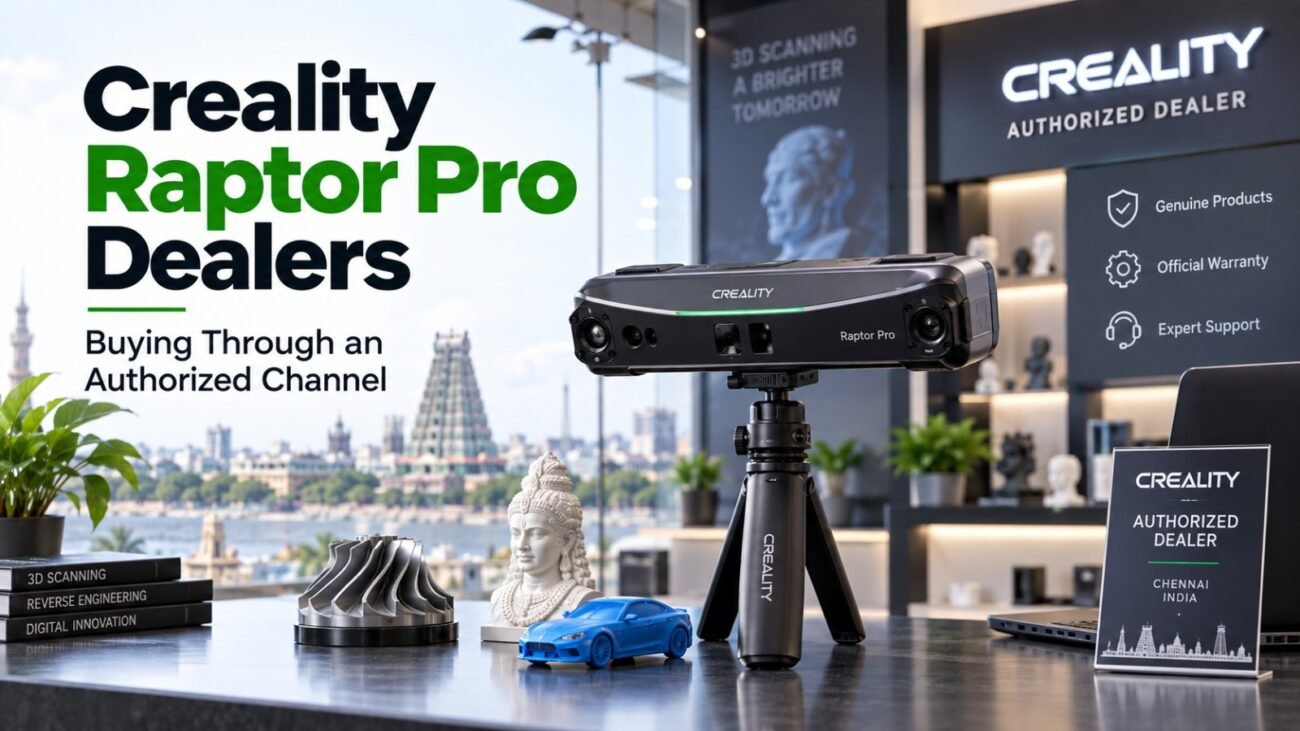
The Creality Raptor Pro is a handheld 3D scanner that combines fast cross-line capture for large objects with fine parallel lines for detail. It suits workshops and studios that scan a mix of small and large parts.
Key specifications
- Volumetric accuracy: 0.02 mm + 0.06 mm/m (laser), 0.075 mm + 0.1 mm/m (structured light)
- Laser: 22 cross lines for speed plus 7 parallel lines for detail
- NIR structured light for markerless scanning
- Speed: up to 60 fps (laser), up to 30 fps (structured light), up to 660,000 points per second
- Object size: 5 x 5 x 5 mm up to 4 x 4 x 4 m
- Camera: 2.3 MP 3D camera with RGB color capture and IMU sensor
- Connection: USB-C 3.0, wireless scanning supported
- Software: Windows 7+ and macOS 10.7+
Specifications are as listed by the manufacturer and may change by version or region. Ask Dream Shapes to confirm current details before you order. For official product information, see the Creality official website.
Who should choose the Raptor Pro?
Choose the Raptor Pro if you scan large items such as machinery, vehicles or furniture as well as small detailed parts. The cross-line mode captures big surfaces quickly while the parallel lines pick up fine edges.
Raptor Pro compared with the Raptor and RaptorX
The Raptor Pro offers a much larger object range than the standard Raptor, and it supports wireless scanning. The RaptorX focuses on portable battery-powered scanning with a different working-distance range.
Buying the Creality Raptor Pro in Chennai
Ask for a demo with a part similar to yours, confirm your computer meets the software needs, and check what support you will get after purchase. Dream Shapes helps with setup and training for customers in Chennai.
Questions to ask before you buy a 3D scanner
Start with the size of the objects you will scan and the detail you need. Ask how the scanner handles shiny, dark or transparent surfaces, which software and licences are included, what computer specification it needs, how it is calibrated and what warranty applies. Ask for a live demo on a part similar to your own work.
Training and after-sales support
A scanner only pays off when the workflow is smooth, from the first scan to a clean file you can measure, edit or print. Dream Shapes helps Chennai customers with demos, setup and first-scan guidance, so call or message the team before you decide. For a broader overview, read our 3D scanner in Chennai guide.
Buy from an authorised supplier in Chennai
Dream Shapes is an authorised supplier in Chennai. That means you buy through a local team that can explain the model, show it to you, help with setup and answer questions after the sale. Ask us about demo availability, stock and warranty terms before you order. Contact Dream Shapes or call +91 88384 76310.
Related Guides
Keep reading: Creality scanner suppliers · 3D scanner guide for Chennai · 3D printing companies in Chennai · Creality Raptor · Creality Raptor X
Frequently Asked Questions
Can I see the Creality Raptor Pro before buying?
Contact Dream Shapes to ask about a demo so you can see the scanning workflow and the quality of the results first.
Do I need a powerful computer for 3D scanning?
Scanning software works with your computer, so check the manufacturer minimum requirements. A computer with a dedicated graphics card gives the smoothest results.
Can it scan shiny or dark objects?
Blue laser and infrared modes cope with many dark surfaces, but very shiny parts may still need scanning spray. A demo with your own part is the best test.
What can the Raptor Pro scan?
Creality lists a range from 5 mm objects up to 4 metres, so it covers small parts and large items.
Does the Raptor Pro scan in color?
Yes, it has an RGB camera for color texture capture.
Enquire or buy online
Dream Shapes sells 3D printers through dreamshapes3d.com. Browse Bambu Lab, Creality, Elegoo, Flashforge, Phrozen, Snapmaker, ApexMaker and WonderMaker models and send an enquiry or place an order there. Read more: Creality 3D printers in Chennai. Scanner guides: Creality 3D scanners in Chennai · model guide.
Want the Creality Raptor Pro in Chennai? Contact Dream Shapes for a demo, availability and local setup support.